
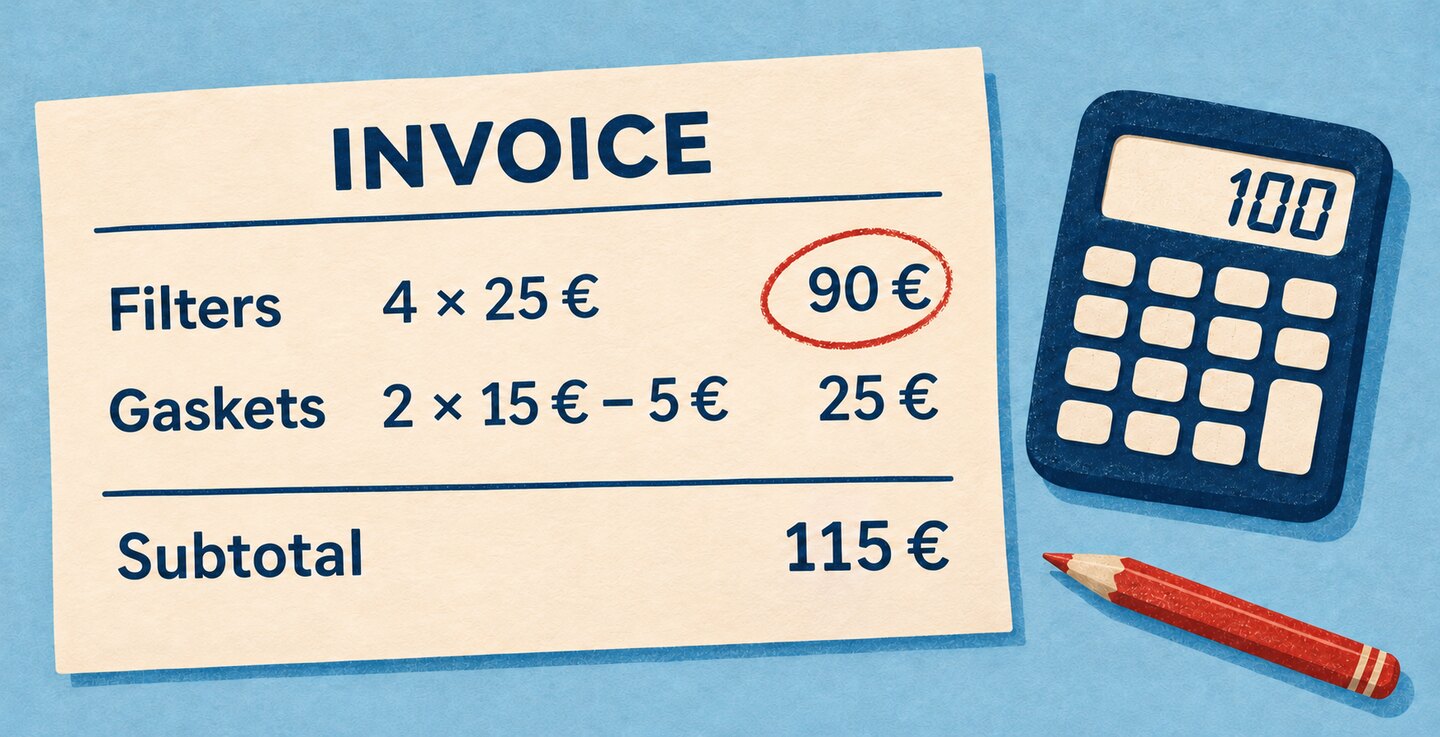
The €115 invoice
Imagine you work in purchasing and you’re testing an AI model that reads invoices. You give it a parts invoice with two line items. The first is four filters at €25 each, with no discount. The printed line amount is €90. The second is two gaskets at €15 each, with a €5 discount on the whole line. The supplier charges €25 for the gaskets. The pre-tax subtotal at the bottom is €115.
Your current model reads both line items as printed. The candidate returns €100 for the filters. Both read the rest of the invoice correctly, including the €115 subtotal. The candidate’s line amounts match the prices and quantities. What happens when you add those amounts up?
Check each line item
Four filters at €25 come to €100. Two gaskets at €15 come to €30 before the discount. Purchasing expects to pay €25 because the €5 discount applies to the whole line. Subtracting €5 from each unit would give a different result.
Suppose the supplier agreement says to round to cents at the end of each line. The extraction supplies one flat record per line with an invoice ID, a line number, a numeric quantity and numeric amounts. The discount is an amount in euros, recorded as zero when the line has no discount. An unreadable discount goes to review.
rule "Net line amount":
  set calculated_amount to round(quantity * unit_price - line_discount, 2)
  check printed_amount is calculated_amount
  message "Review this line’s amount and discount"
The RuleScript example stores the calculation in a separate field, preserving the amount each model read. It would flag the filters in the first extraction. In the second, both lines would pass this check.
Reconcile the invoice subtotal
On this invoice, the pre-tax subtotal is the sum of the printed line amounts. Compare the sum with the subtotal each model read.
| Model | Line amounts read | Sum | Subtotal read | What to review |
|---|---|---|---|---|
| Current | €90 and €25 | €115 | €115 | The filter line |
| Candidate | €100 and €25 | €125 | €115 | The €10 subtotal discrepancy |
With the current model, the invoice adds up even though one line was miscalculated. With the candidate, adding the extracted lines exposes a discrepancy. If the candidate had also returned €125 for the subtotal, both checks would pass. Comparing the values with the original would reveal that two figures had changed.
RuleScript works with flat records. To prepare the subtotal check, the data pipeline groups the extracted lines by invoice and adds up their amounts. It supplies a separate header record with the sum and the subtotal read from the document.
rule "Invoice subtotal":
  check printed_subtotal is sum_of_extracted_amounts
  message "Review the line amounts and invoice subtotal"
Both checks start from the original extraction. If an invoice has shipping charges, an invoice-level discount or itemized taxes, purchasing needs to agree on what each subtotal includes and when amounts are rounded. An invoice-level discount is deducted once, even on an invoice with twenty items. In designing RuleGenius, we want the person who receives an alert to see that agreement and understand why the rule applies.
Before switching models
I’d keep this invoice as a test case with two expected results. A faithful extraction must preserve the three printed amounts. Validation should flag the filter line even though the subtotal adds up. I’d also include a correct invoice and a two-page invoice with its last line on the second page. The test should catch a missing line even when the candidate reads every figure on the first page correctly.
I’d run the same documents through both models with the same rules. Then I’d check which lines each model captured, which amounts match the original and which alerts reached purchasing. For this invoice, both models would raise one alert. The document shows why they aren’t tied. The current model preserved the €90 the supplier needs to explain. The candidate introduced a discrepancy by changing it to €100.